Vexor
Own product: AI assistants on WhatsApp for small and medium businesses, with the assistant on the client's own number.
- Role
- own product, product design and front end
- Year
- 2026
Vexor builds and runs custom AI assistants on WhatsApp for small and medium businesses in Brazil, on the client's own number. The assistant answers, books and reminds, and the full list of what it does is right below.
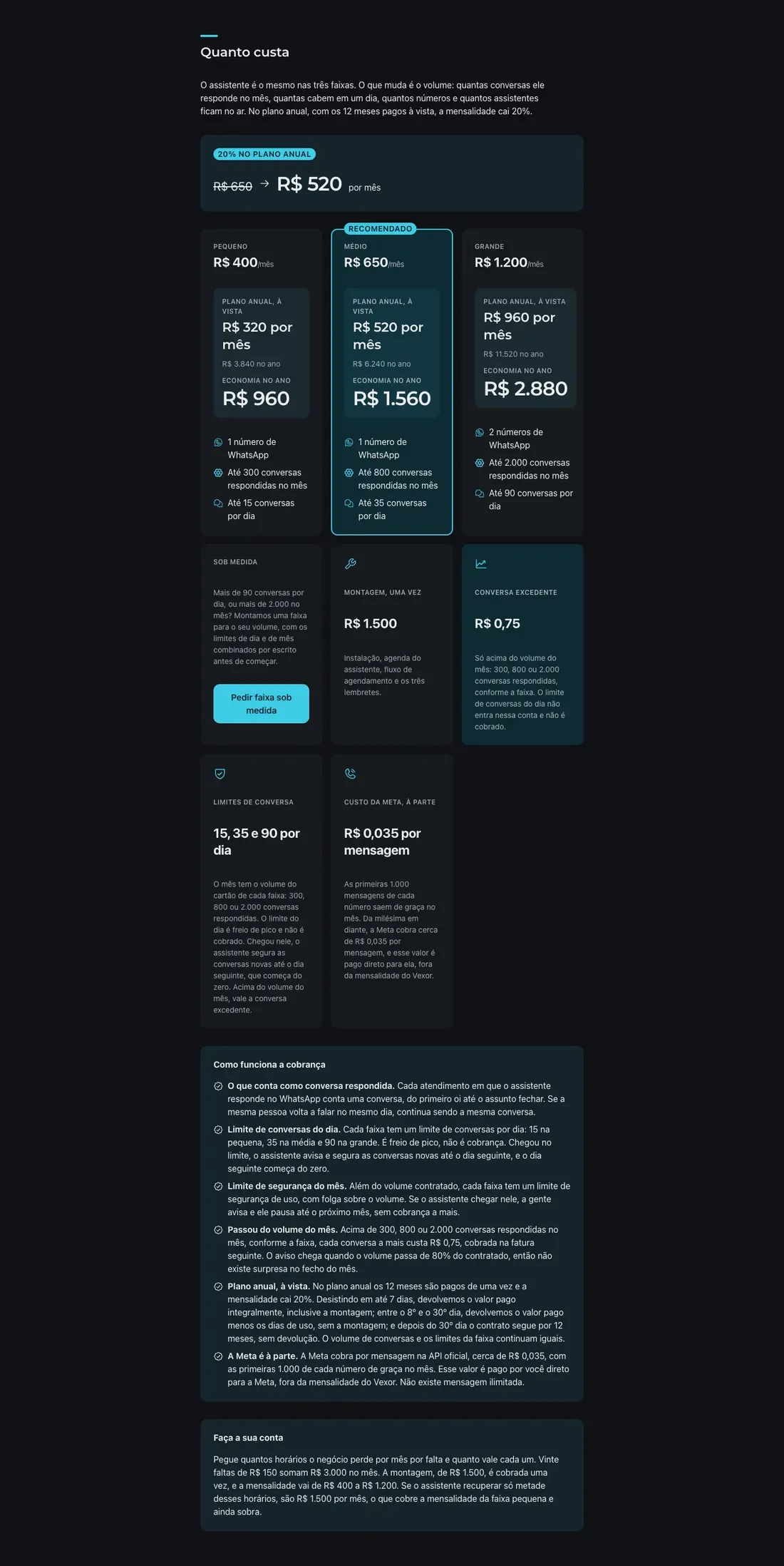
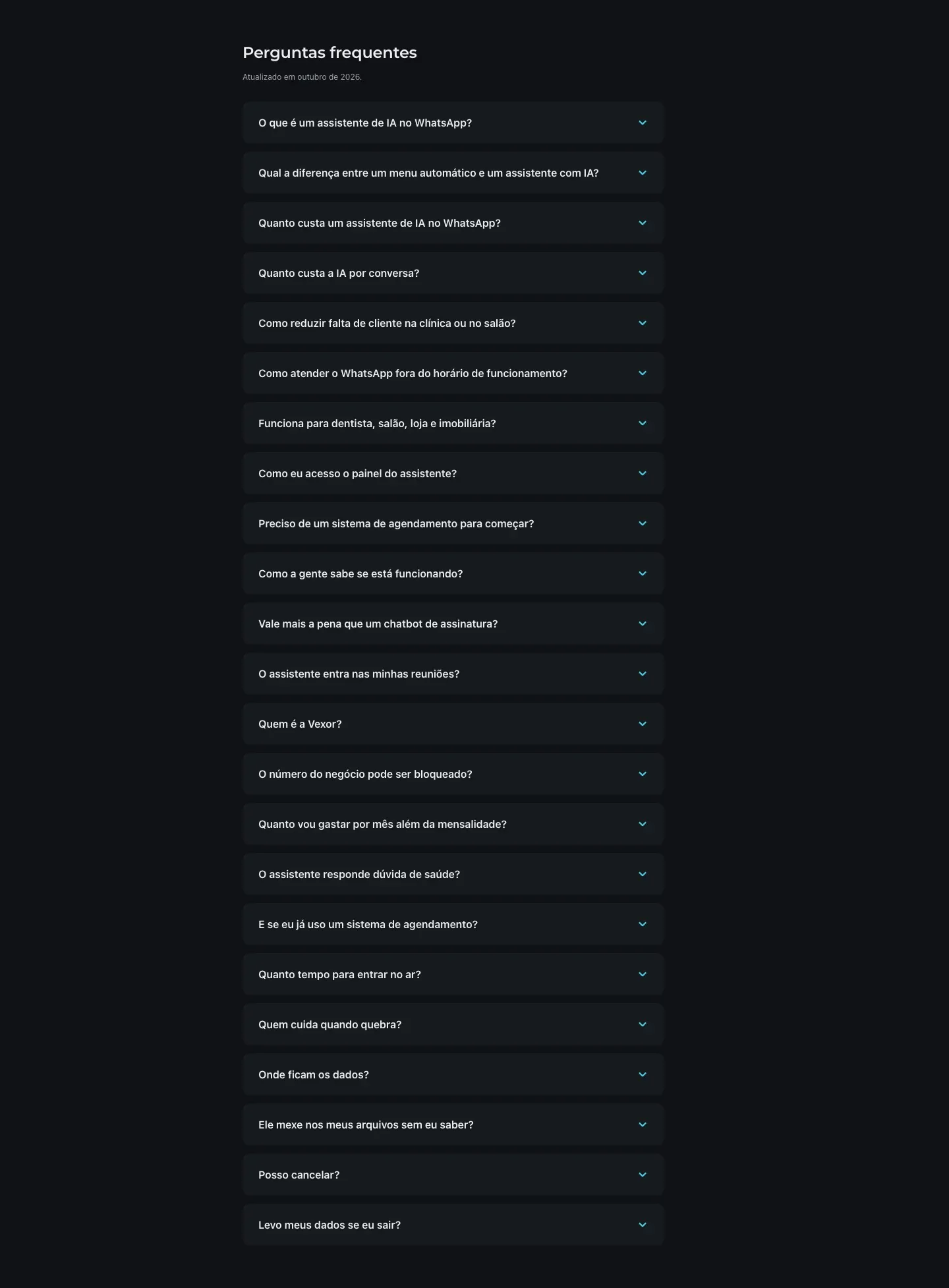
The product is mine from end to end: the site, the copy, the SEO and GEO, the installation at each client and the assistant customization. The site is static Astro, published at vexor.app, with the offer and the price in structured data and the questions answered on the page.
AI cost per conversation came down to cents: the model is picked per task, the provider's cheaper window is used when the schedule allows it, and every client has a monthly ceiling with alert and automatic block, which is what keeps the spend from passing the agreed limit.
The meeting came in later, in the setup: the assistant enters the Google Meet call and returns the summary, the decisions and the tasks with an owner. The participants are told before it enters, and it is Google Meet today: another platform needs a different setup.
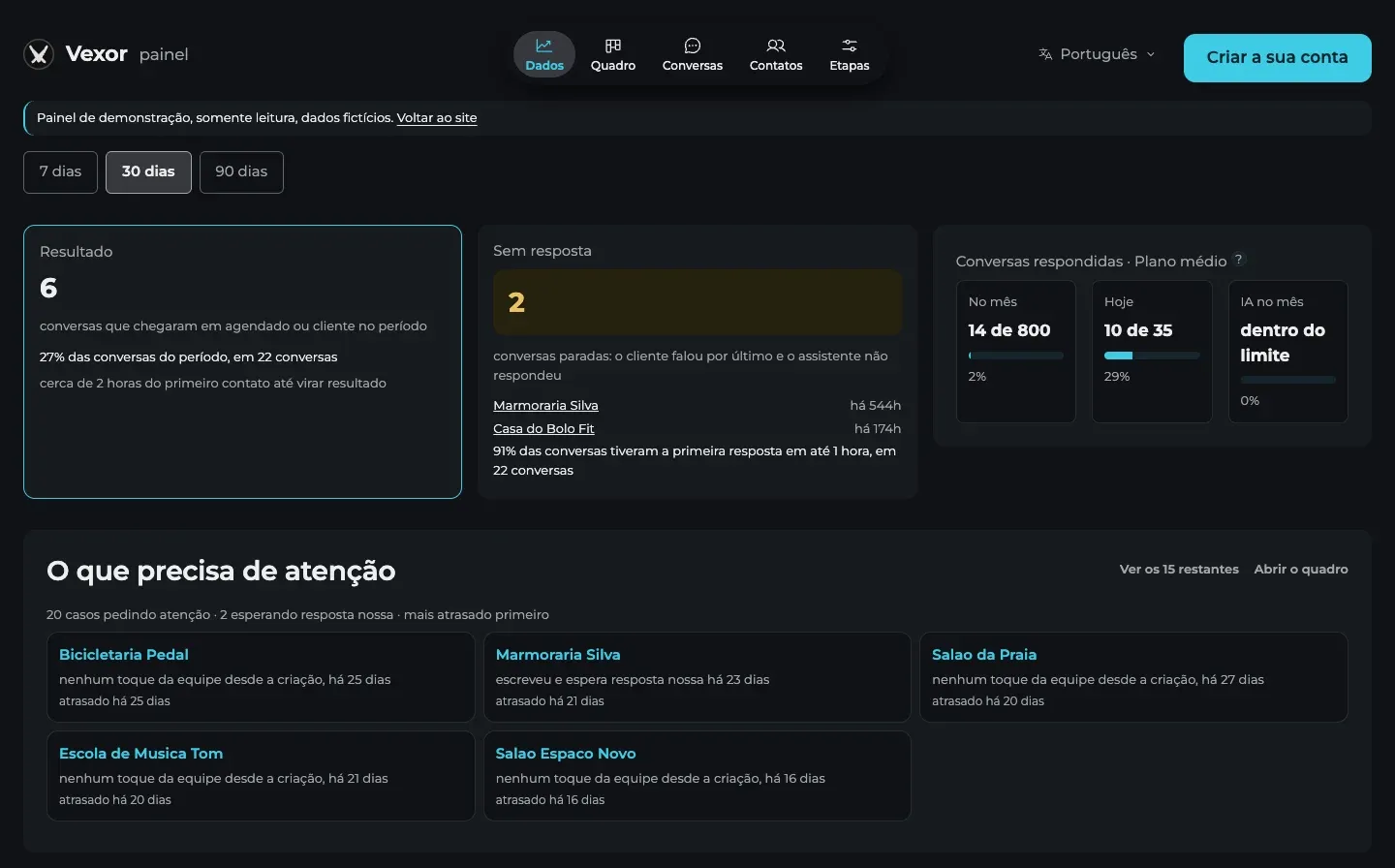
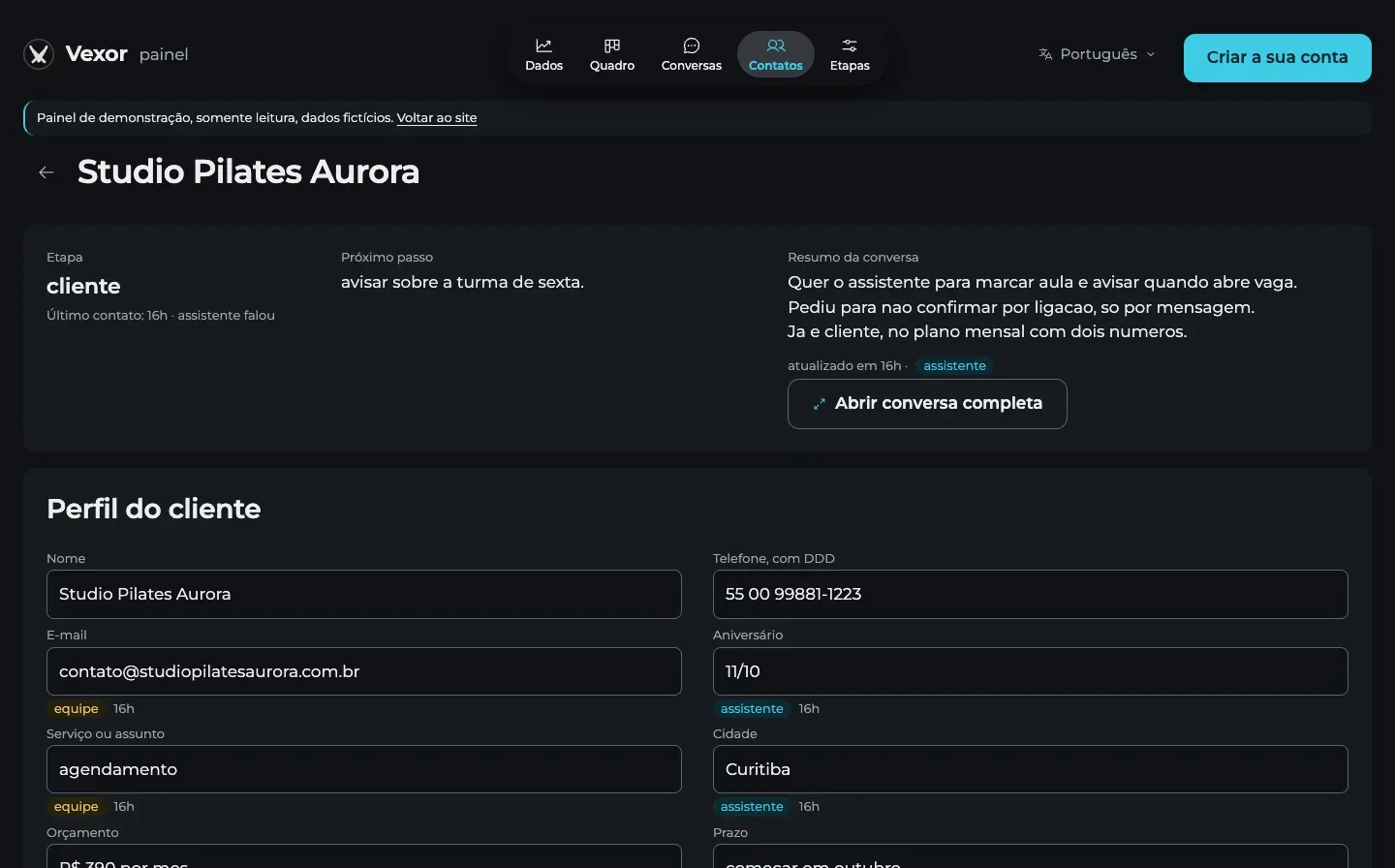
The panel that comes with the assistant is mine as well: the board of clients by interest level, the client file and the overview of the period.
What I did
- Built the whole site, static Astro, with the copy and the pages in three languages.
- Wrote the SEO and GEO layer: the questions answered on the page, the offer and the price in structured data and the llms.txt for AI readers.
- Installed the assistant at each client and customized the routines, the scheduling flow and the three reminders.
- Published 22 texts answering what the business gets asked, written from demand research.
- Cut the AI cost per conversation, with the model picked per task, the cheaper window and the monthly ceiling with block, measured at around R$ 0.015 per conversation on the mid model and below one cent on the cheapest model off peak.
- Built and operate the meeting routine: the assistant joins the call, transcribes and returns the decisions and the tasks with an owner, with the participants told in advance.
Outcome
Live at vexor.app, with the site, the copy, the SEO and the GEO, the installation at client sites, the assistant customization and the AI cost at cents per conversation.
What the assistant does
- Answers and books on WhatsApp
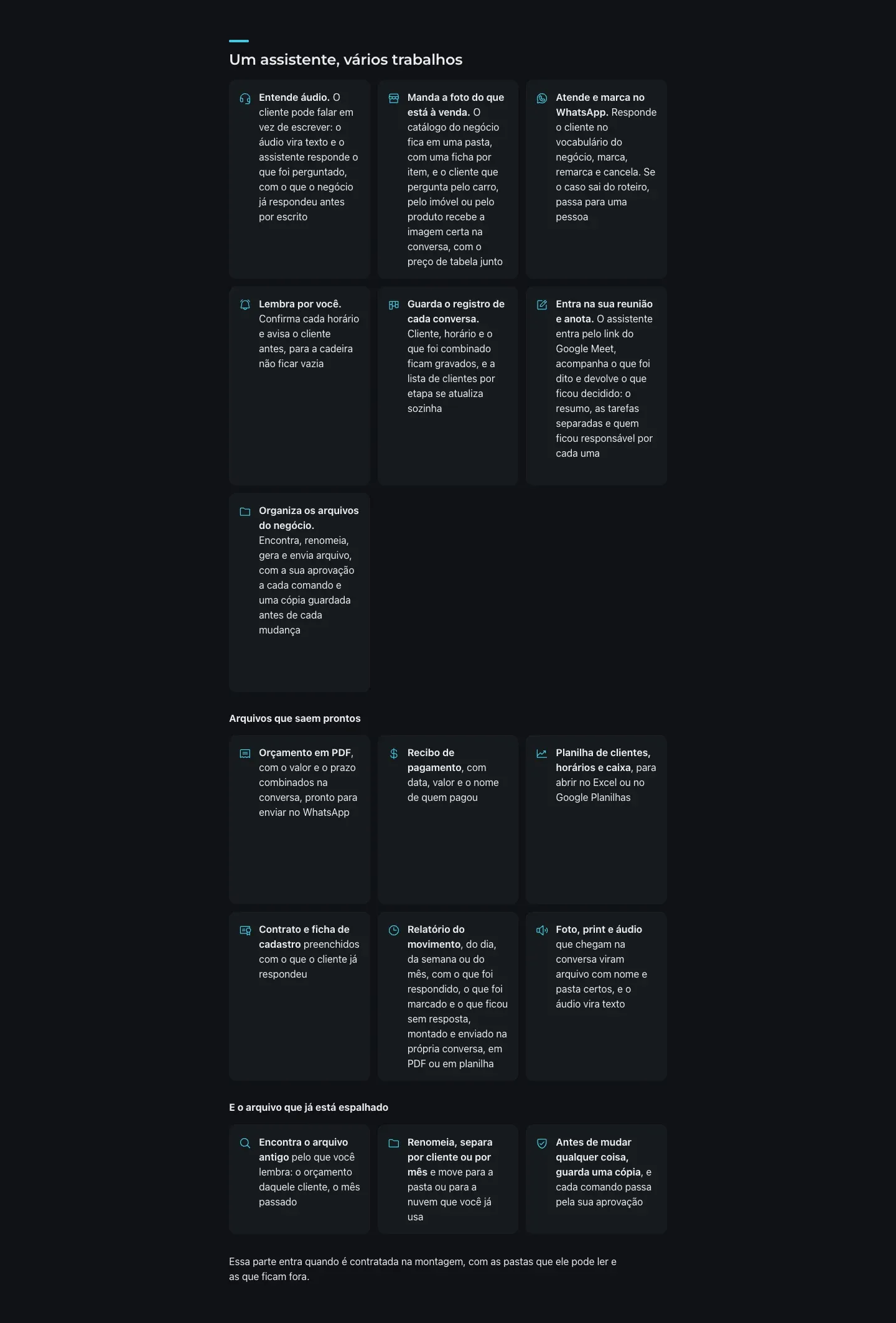
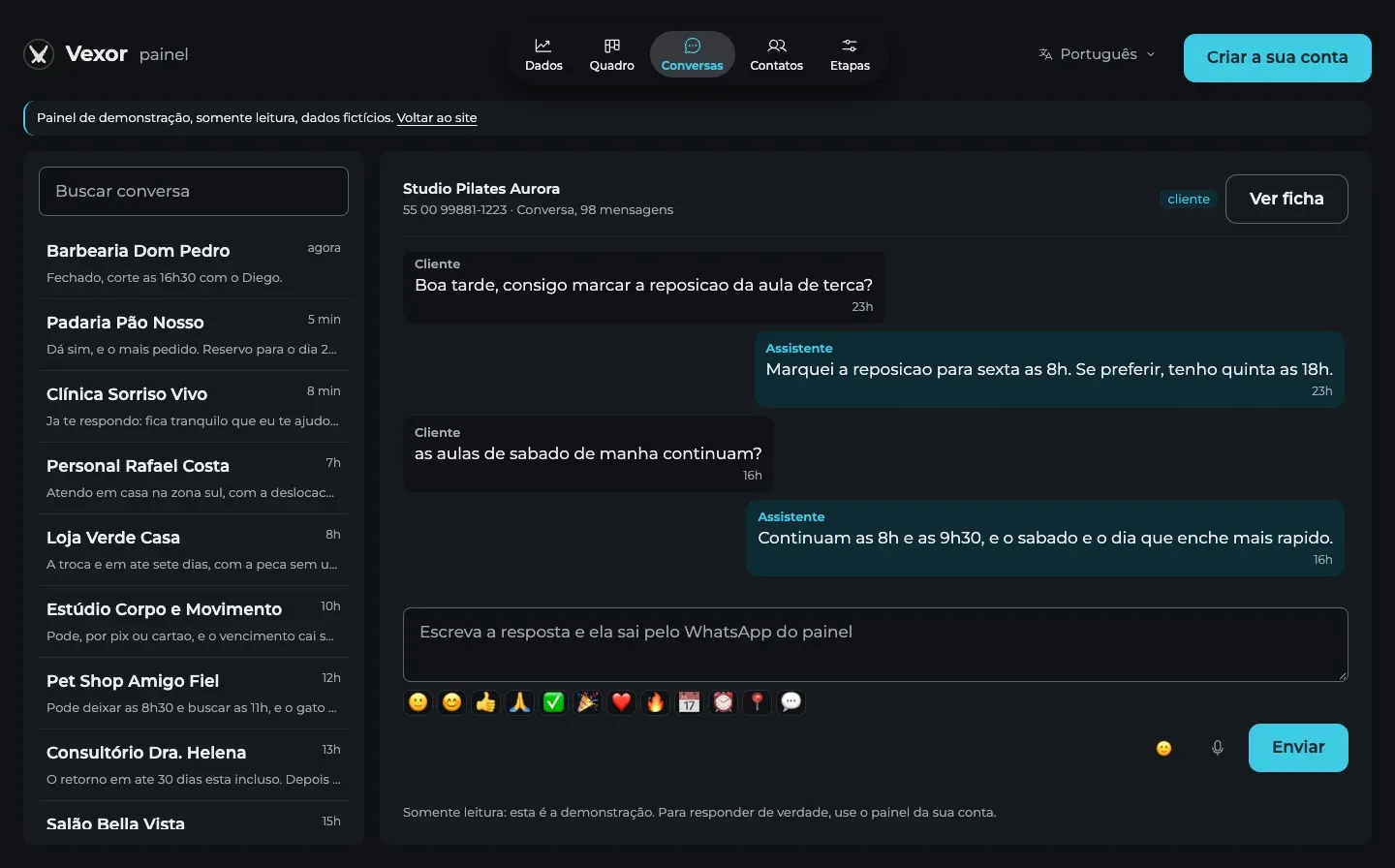
- It replies in the vocabulary of the business, books, reschedules and cancels, and hands the case to a person when the script runs out.
- Confirms and reminds the client
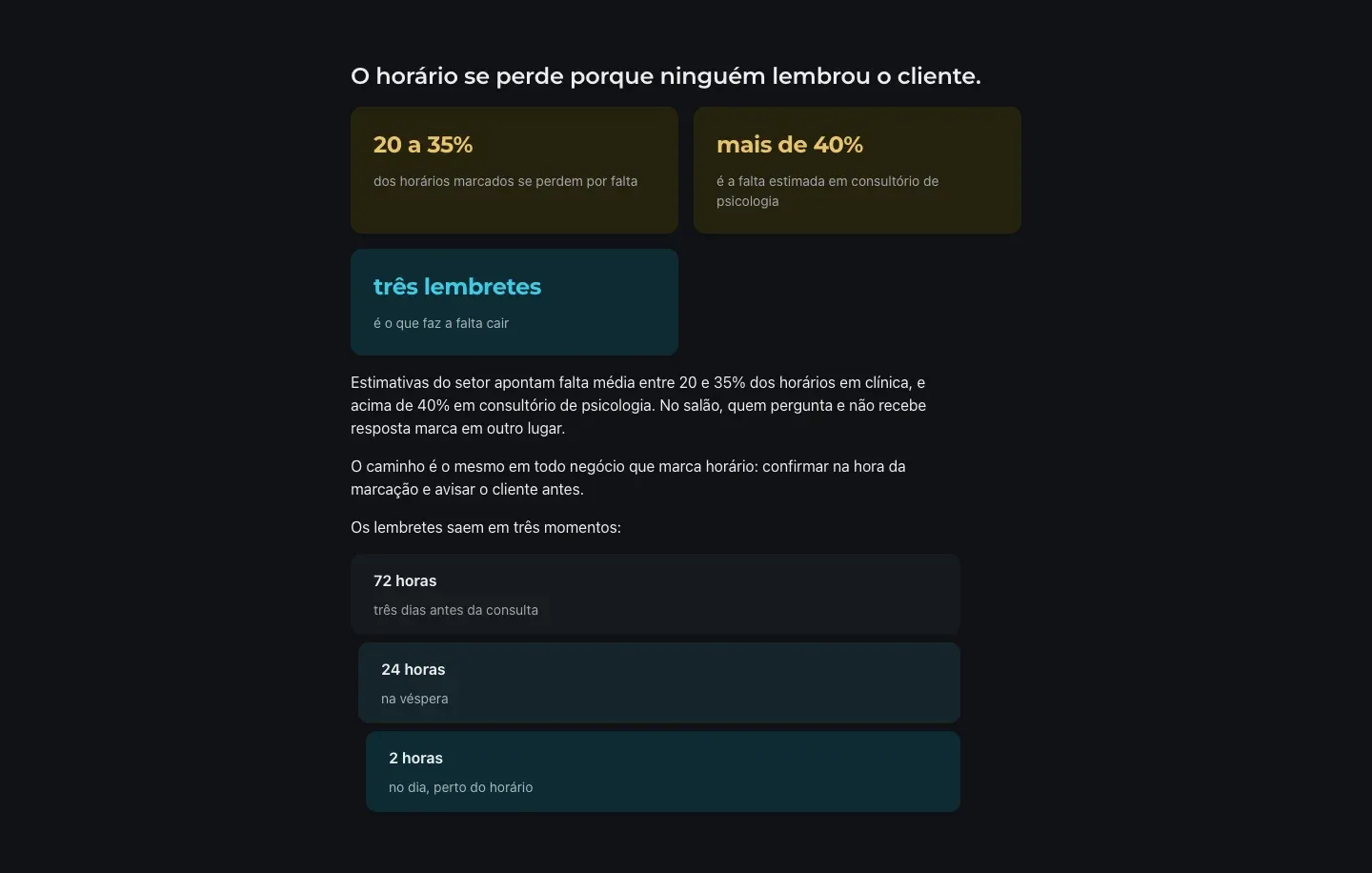
- It confirms every slot and warns the client 72 hours, 24 hours and 2 hours before.
- Keeps the record of every conversation
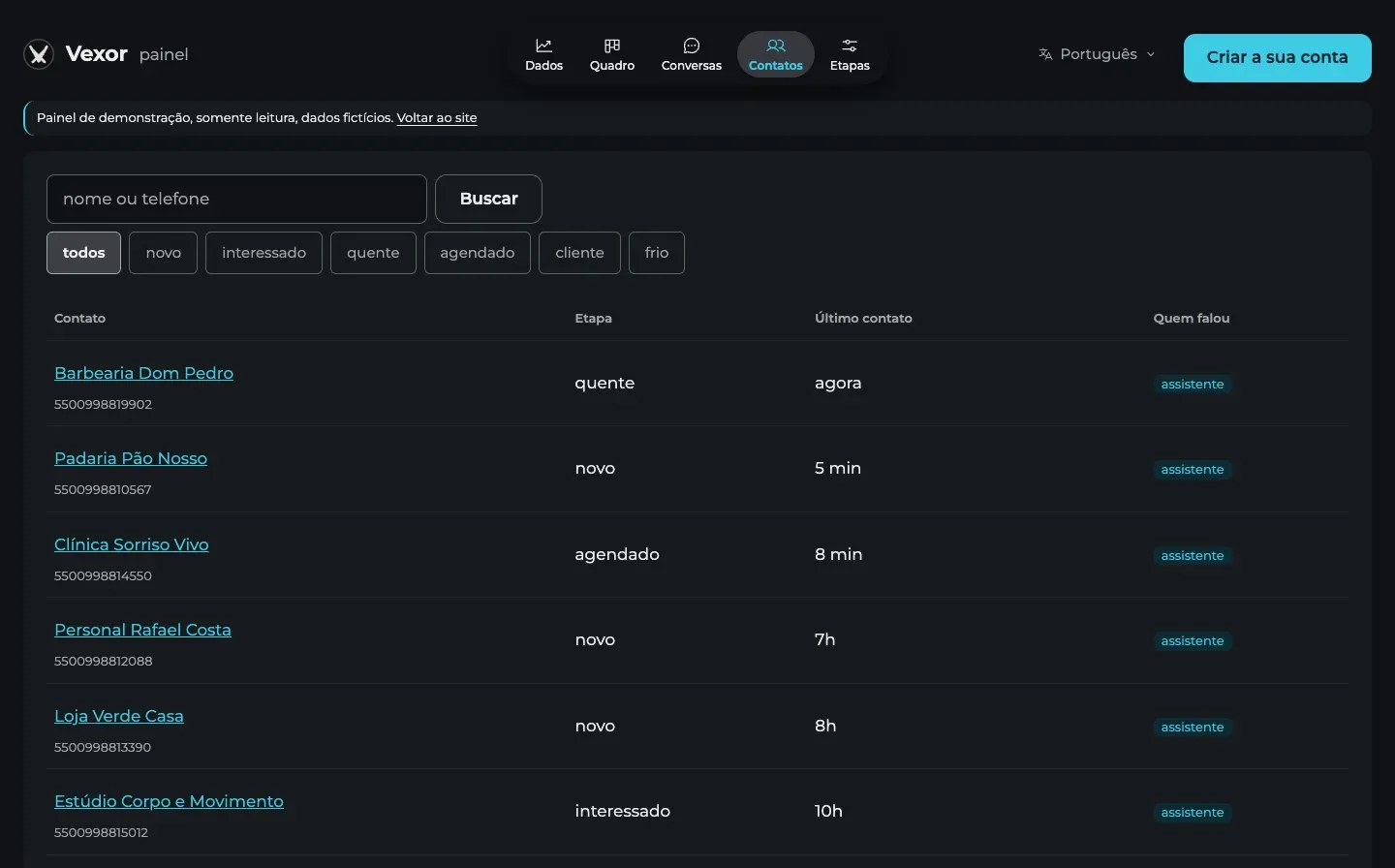
- Client, slot and what was agreed stay on file, and the client list by stage updates itself.
- Shows what happened
- How many conversations it handled, how many slots were confirmed and how many times it handed the case to a person, on the panel and in the hourly summary.
- Joins the meeting and takes notes
- It enters by the Google Meet link, follows the conversation by the captions the meeting itself generates and returns the summary, the decisions and the tasks with an owner.
- Organizes the business files
- It finds, renames, generates and sends files, with your approval on every command and a copy saved before each change.
- Produces the ready files
- Quote as PDF, payment receipt, spreadsheet of clients, slots and cash, and contract and sign-up form filled with what the client already answered.
- Closes the day, the week and the month
- Summary as PDF or spreadsheet, for whoever wants to follow along.
- Reads photo, screenshot and audio, and replies in voice
- What arrives in the conversation becomes a file with the right name and folder, audio becomes text, and the answer can go out as voice.
- Finds the old file
- It finds it by what you remember, renames it, splits it by client or by month and moves it to the folder or the cloud you already use.
- Answers you on your WhatsApp
- Slot, status and last conversation from the record; the day's agenda summary, and the week on demand.
- Connects to the system the business already uses
- The data leaves the assistant and goes into the system that is already there.
The file, meeting and integration parts come in when they are hired in the setup, with the folders it may read defined in writing. The assistant does not answer health questions: it books, confirms, reminds and hands the case to a person.
The tracking panel
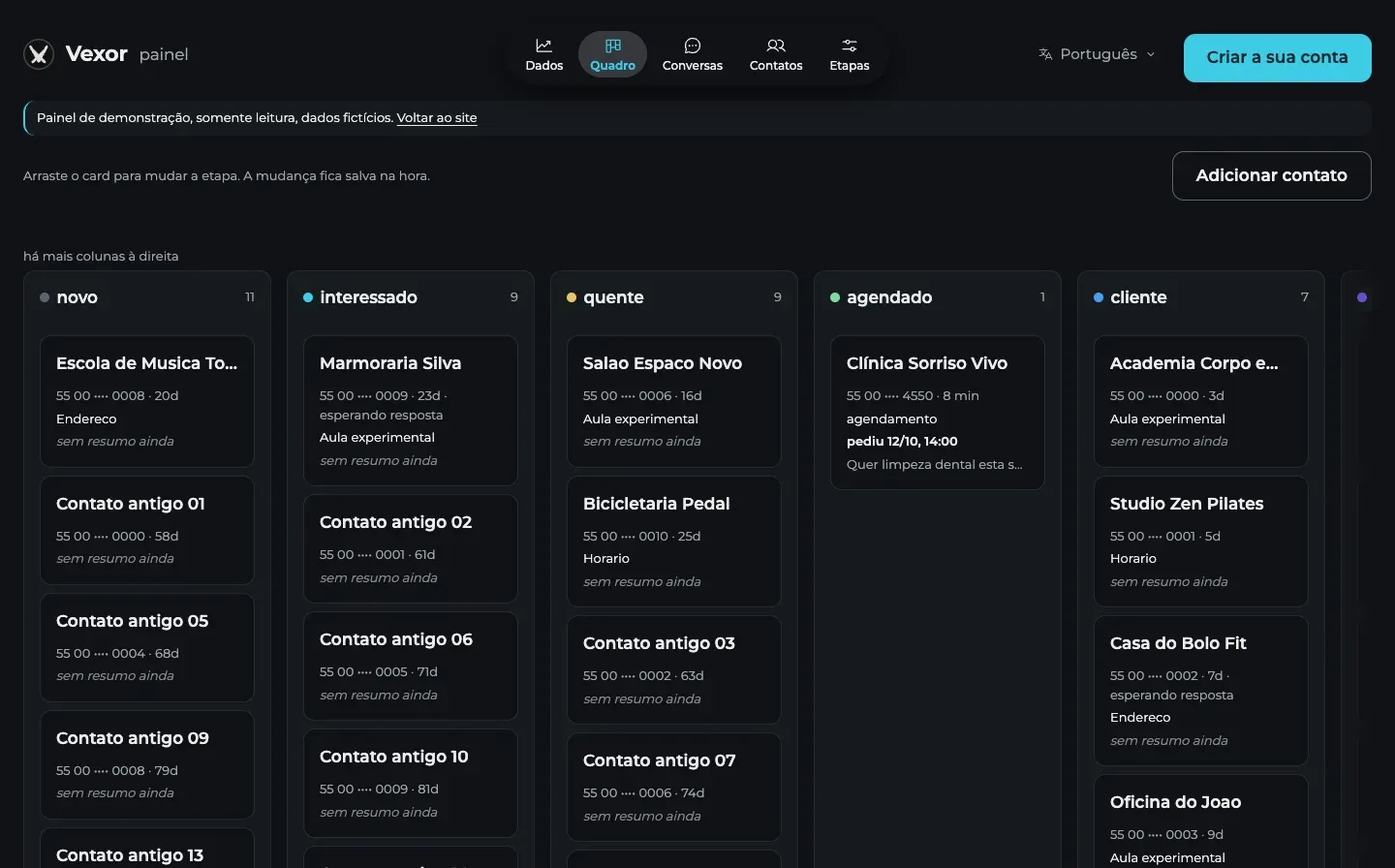
- Every conversation becomes a client on the board
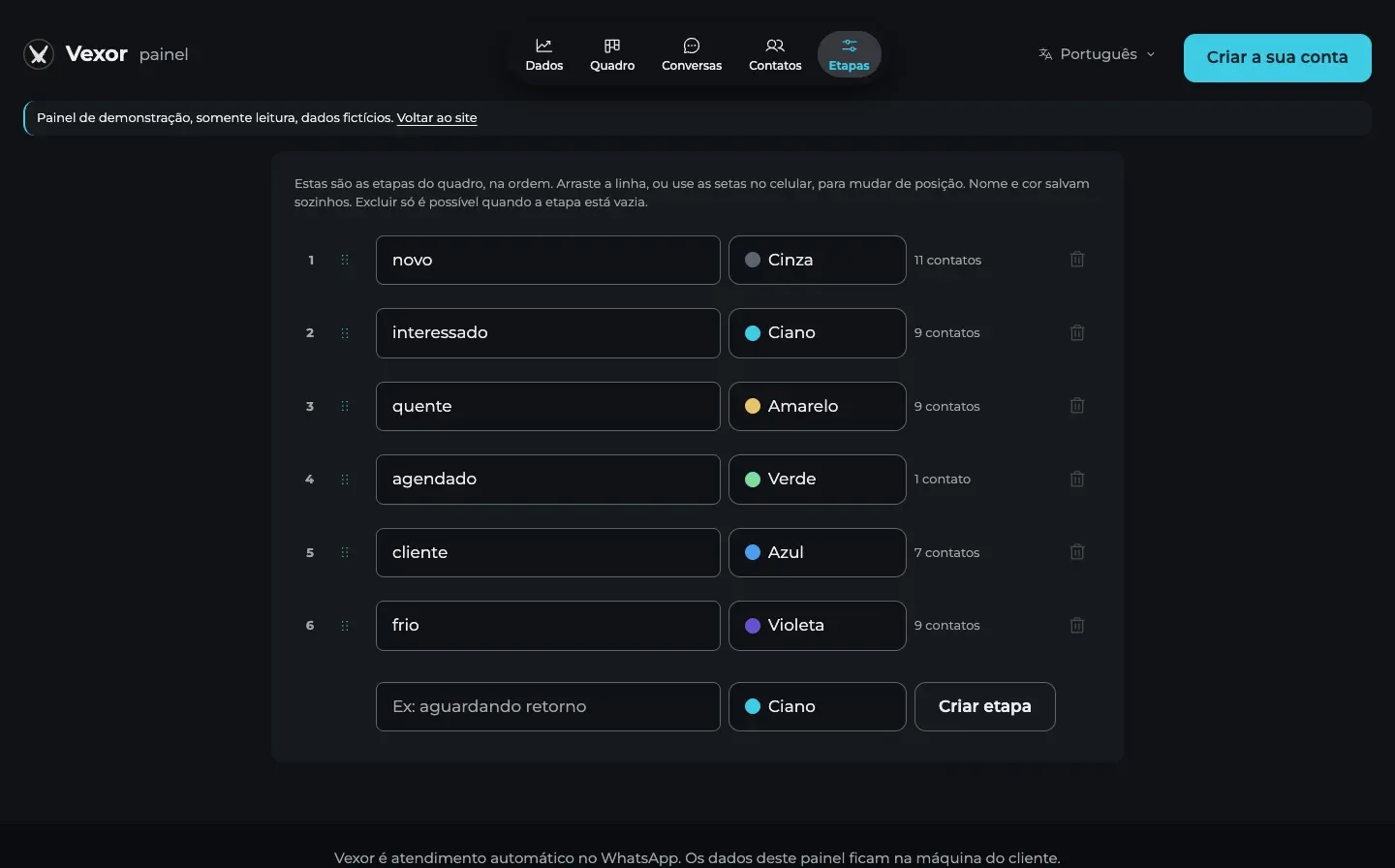
- The assistant classifies the interest level as the conversation happens: new, interested, hot, booked, client or cold. The board starts already organized.
- Changing stage is dragging the card
- It goes to another column and the stage changes right away, with the change kept in the history and the date.
- The team note reaches the assistant
- Whoever answers the client writes a note on the card, such as a time agreed on the phone. The assistant reads that note before replying: what the team knows enters the conversation.
- The client data comes from the conversation
- Service, urgency, preferred time and objection are filled in as the client talks; what the team edits is marked as confirmed by them, and the assistant does not overwrite it.
- The overview closes the period
- Clients per level, new clients per week, messages received, response time, the path from the first contact to the client and the subjects most asked about.
- It runs next to the assistant
- The panel lives on the client's own machine, next to the assistant, reading the conversation database: each client has their own, with access protected by a token.
The interest level is the assistant's suggestion and can be corrected at any time by whoever answers the client: the board is a picture of what was talked about, not a promise of a sale.
Screens 11

Next project